BCLA Online Courses

How can I enrol onto a course?

  • Choose the course you'd like to enrol onto
  • Click the Enrol Here button
  • Login to your BCLA account
  • Add the course of your choice to your shopping cart
  • Click View Cart and Submit Order to complete the purchase (zero cost)
  • You will receive a purchase receipt (zero value), plus an email detailing how to access the course however, course access instructions and a short video are listed further down the page below 

If you experience any difficulties during enrolment, please contact us on [email protected]. 

Once enrolled, how do I access the course?

  • Login to your BCLA account
  • Go to your BCLA profile by clicking onto your name in the top right hand corner
  • Click onto the three lines next to About Me, followed by My Learning
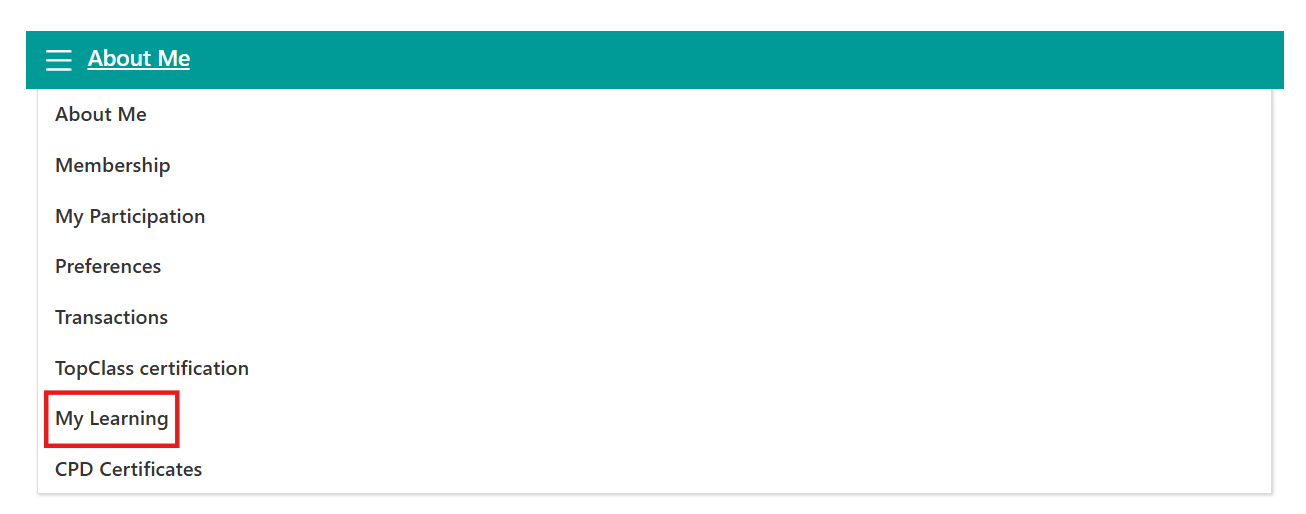
  • Click Access my learning area which will take you to the BCLA Learning Platform

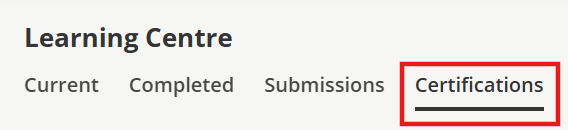
  • Navigate to Go to My Learning Centre and click on Certifications, here you will see the course you have enrolled onto
 

If you experience any difficulties accessing a course you have enrolled onto, please contact us on [email protected]